


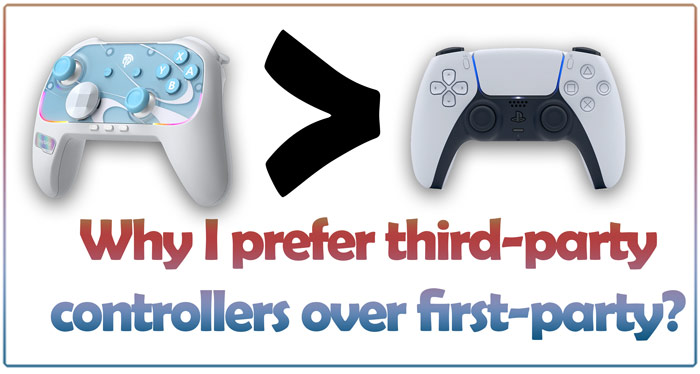
Third-party Controllers Have Many Advantages
I have used all sorts of controllers over the years. First-party, third-party, cheap, expensive—you name it. And I ended up liking third-party controllers. It boils down to the extra features & cheaper prices, which I will talk about in detail in this article. Not all the third-party controllers I own have all the features mentioned below, but these features tend to be common in most of them.
Quickly go to:-
Better Prices
Third-party controllers come at different price points. The ones that are cheaper tend to have a large dead zone in the analog sticks. Making them bad for games that require aiming or precision, like FPS games. But since most of the Nintendo Switch games don’t require that, I managed to play & finish many games with those. Despite their cheap price, they tend to have turbo & RGB lights.
The more expensive ones have better build quality, support a charging dock, and have multiple connectivity modes. They are the ones I use as primary controllers. Even those expensive ones tend to be at least 20% cheaper than first-party controllers (approximately). So not only do you get additional features, but you save money along with that.
More Reliable & Durable joysticks
First-party controllers tend to come with regular mechanical joysticks, which tend to drift after a few years (sometimes even before), while many of the relatively more expensive controllers I have come with either Hall Effect or TMR joysticks. These tend to last longer. I don’t see a reason to go with the inferior option & spend more along with that when I can get something that lasts longer for cheaper.
Charging Docks
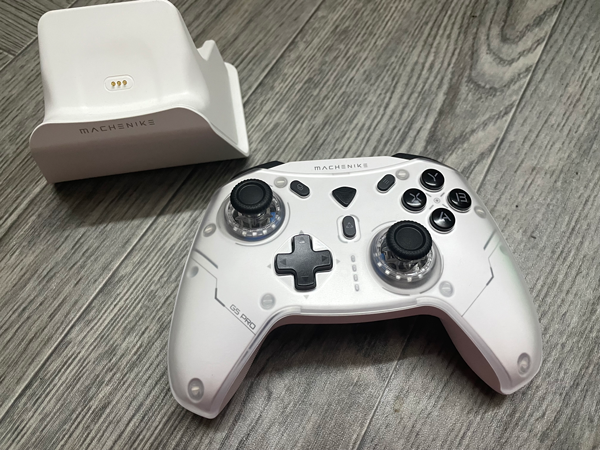
Many third-party controllers come with a charging dock. It makes it convenient to charge it. Just plop the controller on it, and you are done. The controller can always be charged without the dock, of course.
Some controllers can be bought without the dock, which makes them even cheaper, but I like the convenience of the dock, so I always go with it.
Turbo
Turbo is one of the primary features I like about third-party controllers, and probably the best one. It may seem like a useless feature, but trust me. It can be useful in many ways.
Here are some of its uses:-
-
- Throwing Pikmins so fast in Pikmin. This is particularly useful in the earlier games. Even in the later games where the game had that as a feature, doing it with turbo is faster.
- Skipping the forced intro in Splatoon.
- Skipping dialog in Genshin Impact.
- Win in the games where you have to mash a certain button (I hate it when games have those).
- Starting Mario Kart World & entering the last online lobby I played in.
- Continuous firing in games like Star Fox (SNES).
And more than just that. I keep finding more uses for it the more games I play.
There tend to be 2 kinds of turbo in third-party controllers:-
-
- Hold to fire:- where you hold the button in order to keep firing. E.g, hold the A button to continuously fire it. All the controllers with turbo I tried have that.
- Press to fire:- Where you press the button once for it to start firing, then press it again to stop. E.g, press the A button to start firing A A A A A continuously, then press it again to stop.
I tend to prefer the controllers that have both types, but the ones with only the Hold To Fire type are still very nice to have.
Multiple Connectivity Modes
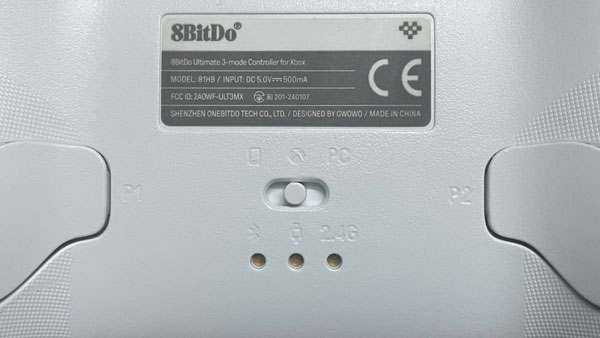
Unlike first-party controllers, which tend to connect to one device via Bluetooth and nothing more. Third-party controllers tend to have multiple connectivity modes, usually from 2 to 4. Depending on the controllers. One mode connects via Bluetooth, while another via USB dongle. Some modes support XInput, another one may support DInput, while a 3rd one shows the controller as a Switch Pro Controller. It differs from one controller to another, and so I tend to do extensive tests to showcase the difference between the modes in my controller reviews.
Have an old computer with bad Bluetooth? No problem, use the 2.4Ghz dongle. It connects faster than Bluetooth anyway. Want to use the controller with the Switch? Use the S-mode & you’re done. Not only does this make the controller flexible to use with all sorts of devices, but it also allows you to use it on more than one device without having to pair it again.
Things can get very interesting with some controllers, where you end up with two Bluetooth modes instead of one.
Back Buttons
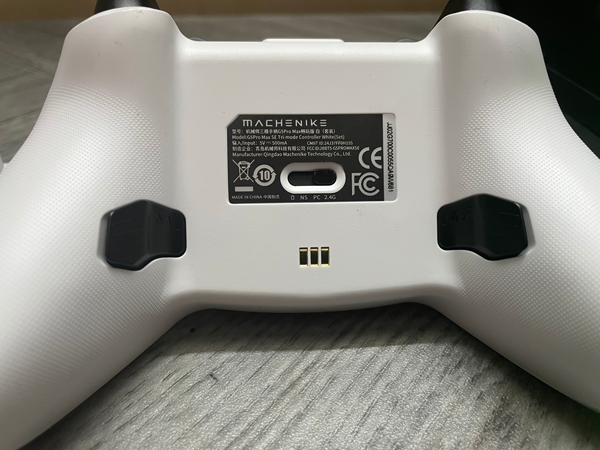
Another common feature in third-party controllers is the back buttons. These two buttons can be remapped to be any other button. I tend to dislike having to press the analog stick to run in certain games. So I assign one of the back buttons for that instead. In racing games like Mario Kart, I tend to drift & use items using these buttons instead of relying on the shoulder buttons. In some controllers, it’s possible to remap the back buttons on the fly with a certain button combination.
Some controllers allow you to assign macros to them. I don’t use it that way very much, but I believe it can be useful in fighting games.
Unique Designs

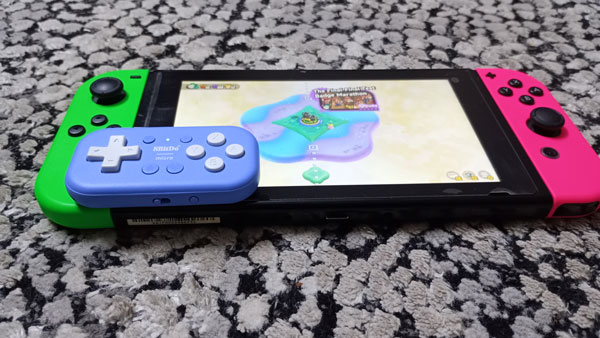
While most third-party controllers look very similar to official controllers, and sometimes very close to them. Some third-party controllers have unique designs. Like 8Bitdo Micro, a tiny, small controller that fits into your pocket. And a good one to use as a remote and for playing games on the go.
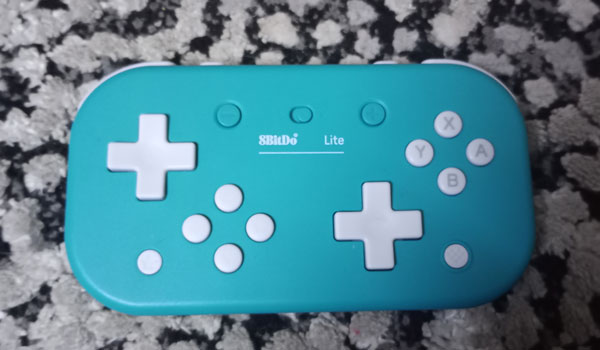
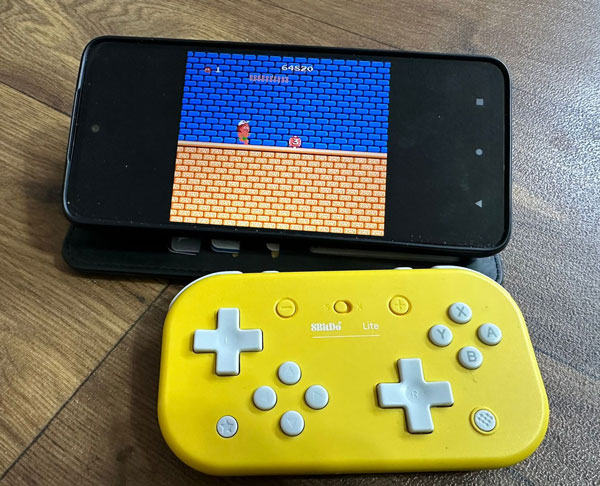
8Bitdo Lite is another uniquely shaped controller that’s great for playing platformers. It’s larger than the Micro but still fits easily into a pocket. It may not be the best to play all games, but for the certain games it’s suitable for, it’s awesome.
More Customization Via Apps
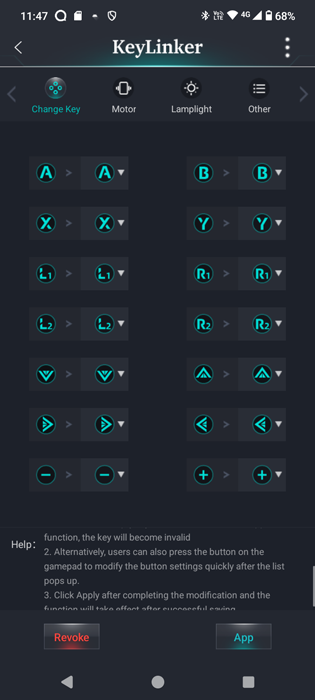
Many third-party controllers can be customized via a mobile app. Where you can remap buttons, adjust sleep time, customize RGB lighting & vibration, design macros & more. It can help you make the controller work the way you want.
As mentioned before, some controllers can be customized to a good degree without any app with a button combination. You can remap the back buttons, adjust vibration, and change the controller mode or the backlight color all from the controller itself. The app is there to provide a more extensive interface to customize it.
List Of Some Of The Third-party Controllers I Like
Here is a list of some of the third-party controllers I own & like. With a short list of what each controller can do. Some of them have a link to a dedicated review below it.
EasySMX S10

-
- Wakes up the Switch 2.
- 2 Choices of D-Pad (Faceted or Standard).
- 2 back buttons.
- Turbo support (both modes).
- 2 connectivity modes.
- Comes with stickers as a gift.
- Doesn’t require an app to set it up or configure
- TMR analog sticks
- RGB backlights.
Buy EasySMX S10 from the official website.
Buy EasySMX S10 from AliExpress.
#CommissionsEarned

Read the detailed EasySMX S10 review.
Machenike G5Pro Max SE

-
- 4 connectivity modes.
- Charging dock
- 2 back buttons
- Turbo support (both modes).
- Can be customized via the Key Linker app.
- Hall-effect sticks.
Buy Machenike G5Pro Max SE from AliExpress.
Read the detailed Machenike G5Pro Max SE Review.

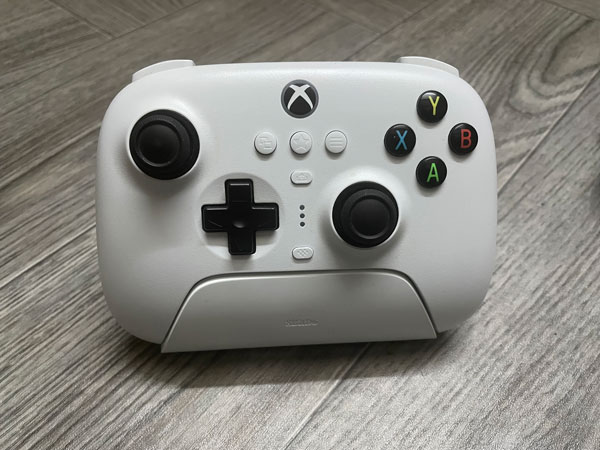
88BitDo Ultimate 3-mode Controller For Xbox
-
- 4 connectivity modes.
- Charging dock
- 2 back buttons
- Doesn’t support turbo.
- Not recommended to PC players, as some features can’t be accessed in XInput mode.
- Hall-effect sticks.
- Can be customized via the app.
#CommissionsEarned





Read the detailed 8BitDo Ultimate 3-mode Controller for Xbox Review.
Data Frog S80
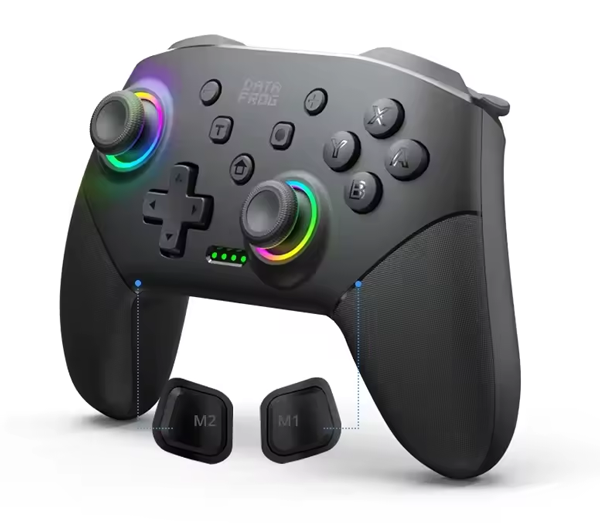
- 2 back buttons.
- Cheaper than most controllers.
- Comfortable despite the price.
- Turbo support (both modes).
- Large analog sticks dead zone. Making it not suitable for all games, but great for Nintendo Switch games for the most part.
- RGB lights.
8Bitdo Micro
-
- Unique design.
- Very small & portable. Very suitable to be used as shortcuts remote.
- 3 connectivity modes, one of them being keyboard mode.
- Turbo support.
- Lacks analog sticks or anything equivalent.
You can buy 8BitDo Micro from the following Amazon affiliate links:-
#CommissionsEarned
Read the full 8Bitdo Micro Review.
8Bitdo Lite
-
- Unique design.
- Turbo support.
- 2 connectivity modes.
- The extra d-pads can be used in place of analog sticks. You can play any game with it, even those that require analog sticks. Though I think it’s only better for certain types of games.
- Portable enough & easy to slip into a pocket, as it lacks analog sticks, while also being more comfortable to play with than the 8bitdo Micro.
Buy from AliExpress
Buy from Amazon:-
#CommissionsEarned
Read the full 8bitdo Lite review.
And Finally
I hope this article has demonstrated why I like third-party controllers. They are just awesome. Hopefully you will end up with the best controller you like.
See you in another Tech Fairy article. Check out the mobile apps I developed, which I hope you find useful & interesting.