


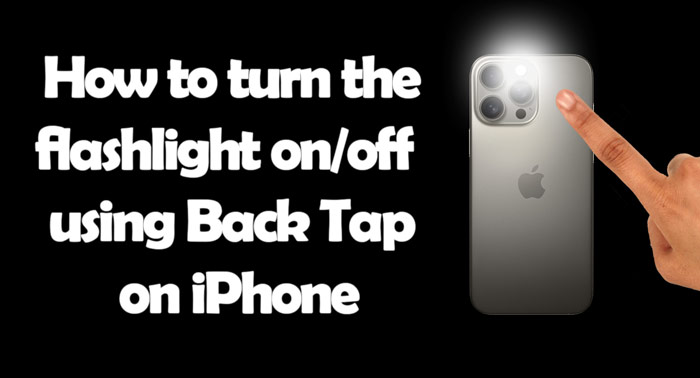
Here’s A More Convenient Way To Turn On The Flashlight Of Your iPhone
As a user of both iOS & Android, there are features in each system that I wish were in the other. One of the features I quite like about my Android phone is the ability to shake my phone to turn the flashlight on/off. It is a very convenient feature, and so I wanted to have that on my iPhone too. I looked around to find a way to do that in a similar fashion. The closest method I found so far is the ability to turn the flashlight on/off with the Back Tap accessibility feature. And this is what this tutorial is all about. Just follow the steps, and you will be able to control your flashlight by tapping the back of your iPhone.
The steps below work on iOS 14 & later and on iPhones from iPhone 8 & later. Unfortunately, the iPad doesn’t support the Back Tap feature, since the feature could be used for many useful things, not just turning flashlights on/off.
So, let’s get started!
Quickly go to:-
How To Configure Back Tap To Turn The Flashlight On / Off
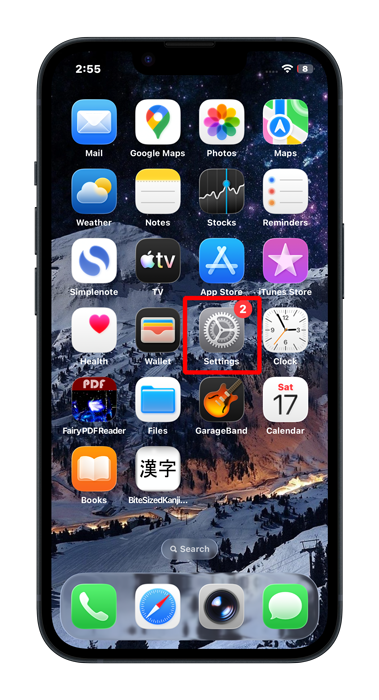
Open the settings app:-
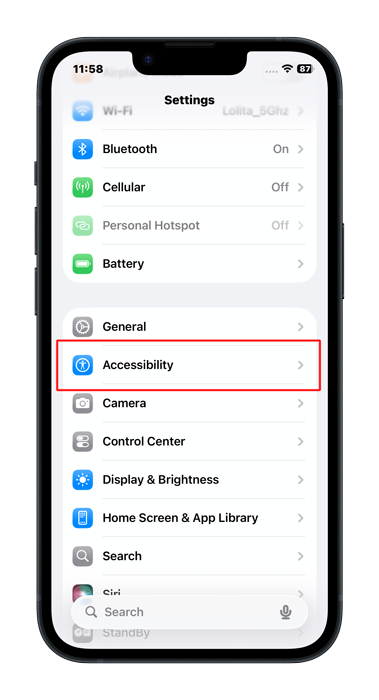
Tap on Accessibility:-
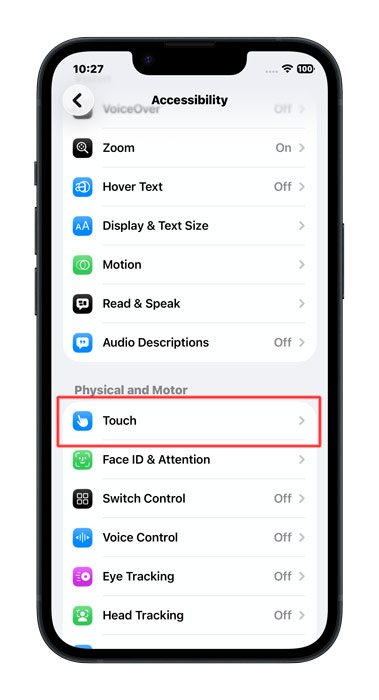
Tap on Touch:-
From the Touch screen, tap on Back Tap:-
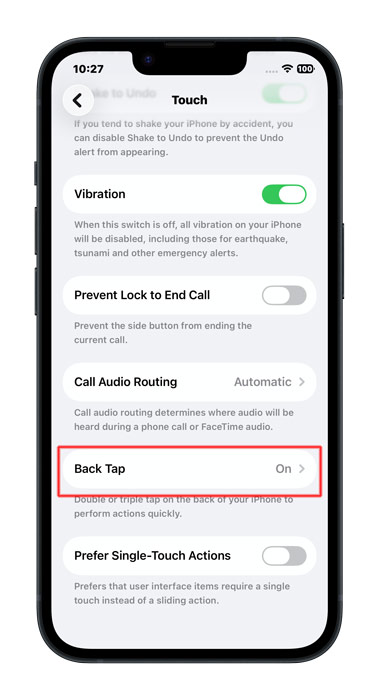
From there, you can set what double & triple tapping does. We are going to go with the double tapping, since it is the easier to do. So, let’s tap on Double Tap:-
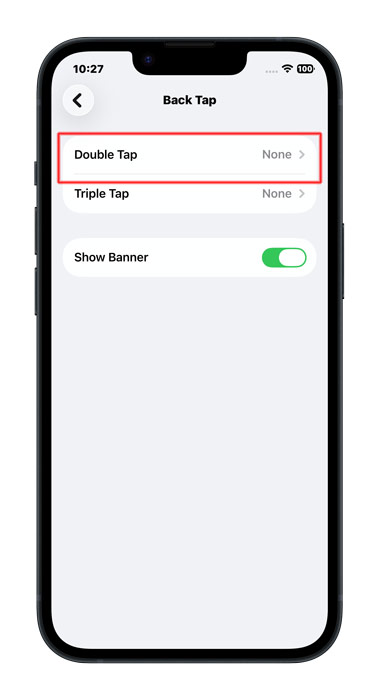
We get many options to choose from. Many of them are useful in various situations. Feel free to explore them at your leisure. For now, tap on Flashlight from the menu:-
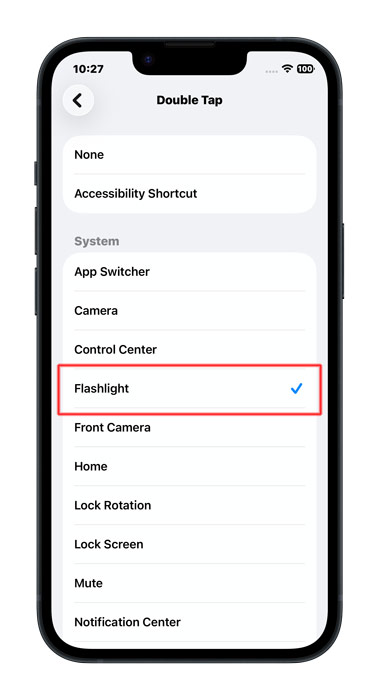
And we are done. Simply tap on the back of your iPhone twice (or thrice if you picked triple tap earlier), and the flashlight will turn on. Do it again & it will turn off. In case it didn’t work, keep reading.

Tips On How To Reliably Activate The Back Tap Feature On iPhone
In case the Back Tap didn’t work, don’t worry; you just need to keep a few things in mind so it will work. For a starter, you may think that you can tap anywhere on the back of the iPhone to activate it, except that’s not the case.
To make back tapping work, you have to do the following:-
-
- You need to tap the area to the left of the camera for it to work. Usually, you do that with the index finger of the hand holding the iPhone, but you can use any finger.
- The iPhone screen needs to be turned on. You don’t need to unlock it if it was locked.
Keep these two points in mind, and you will be able to activate the double/triple tap very reliably. The feature works even when I have a case on my iPhone.
And Finally
While I honestly think Android does this better than the iPhone, it’s nice to have a faster way to activate the backlight. It’s not perfect, but it’s better than nothing. The most important thing is, it can be done without having to look at the screen at all. Just turn on the screen and then double-tap at the back.
I hope this tutorial made it easier to turn the flashlight on/off with the back tap feature, and I will see you in another Tech Fairy article. Check out the mobile apps I developed, which I hope you find useful & interesting.