


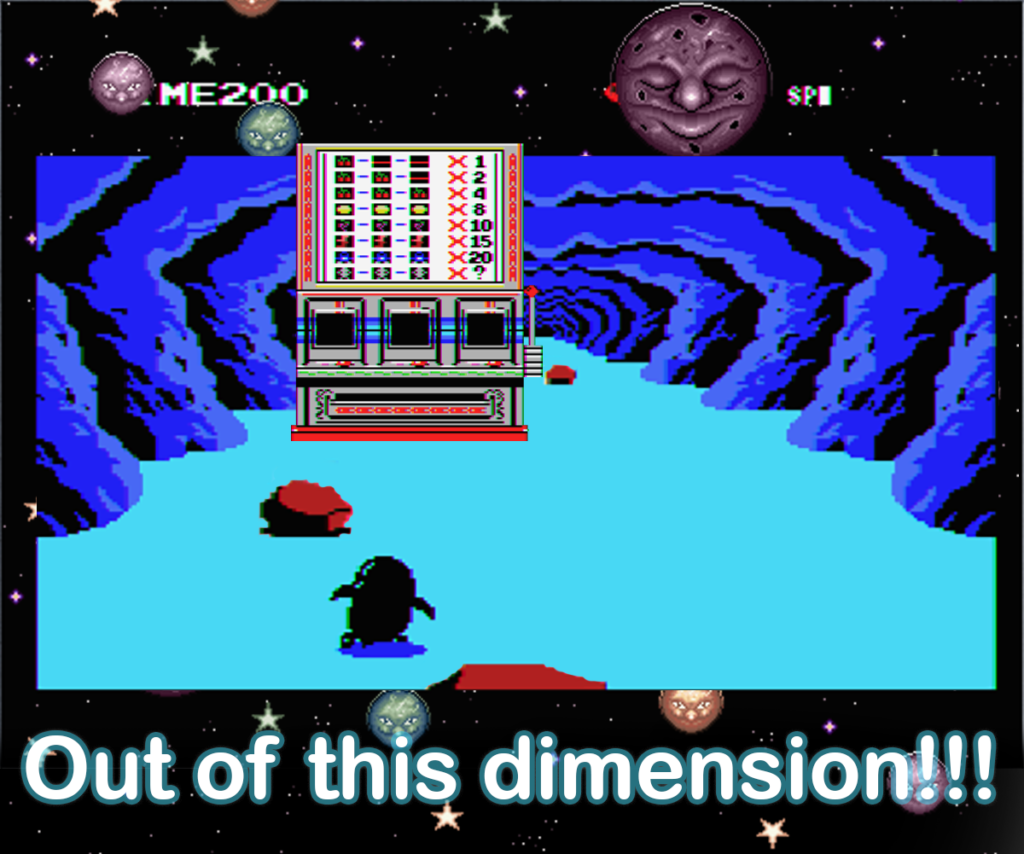
This Trick Allows You To Walk In The Underground Warp Zone
As we all likely know by now. Penguin Adventure has shortcuts—or warps—that allow you to warp from one stage to another, making the game much shorter. You can literally wrap from stage 1 => 6 => 9 => 12-13 => 15 => 18 => 21 => 24. Making you play 8 stages out of 24 in the game. Most of the time, you don’t even play the whole stage, since the next warp is close by.
Anyway, while messing around with the game, I found a way that allows you to force the penguin to stay in the warp zone, where you are eventually able to walk around. It’s not much, but it has this odd feeling of “You’re not supposed to be there”. It’s kinda like the “out of this dimension” version of Penguin Adventure.
Unfortunately, as far as I know, this can’t be done on real hardware. You specifically need BlueMSX to do that, or at least any emulator that supports cheats. It’s not really a glitch like the one in stage 15 I talked about earlier, but more like me forcing the game to let me stay underground instead of moving on to the next stage.
Quickly go to:-
See It In Action
I recorded a video showcasing me entering the warp, ending up staying there for a very long time until random objects started appearing. I can’t control the penguin in that state, but luckily for us, the penguin will always bump into a rock & die inside the wrap zone. After that, I am able to control him in the underground warp zone.
- ——————————————————————
How To Do It?
First, you will need a certain mcf file that contains the cheats in order to force the game to let you stay underground. I uploaded the file here, but you can also download the whole cheats database from here, that’s where I got them in the first place.
Credit to Albert Beevendorp and Patrick van Arkel for the cheats file I used. It is an awesome file, and it provided me with hours of fun in my favorite game ever. Thank you so much!!!!!
Let’s get started!
Simply start the game as usual.
-
- —————————————-
Play the game until you reach the warp in stage 1.
-
- ———————————————-
Now, the trick is to change the remaining distance counter to something big, like 9999. You can do that after entering the warp, or just do it now since you won’t have much time after entering the warp. This is what I will do here:-
-
- ————————————————–
Click on Tools -> Trainer from BlueMSX menu.
-
- ————————————————–
This opens the trainer. Click on the browse button:-
-
- ————————————————–
Browse to where you saved the penguinadventure.mcf file, and select it.
-
- ————————–
You get a bunch of cheats to mess around with:-
-
- ————————–
Double-click on the “faster to the end” cheat:-
-
- ——————————
Change the hexadecimal value to something big. Like 99, then click on OK. The dialog looked like that for me:-
-
- ———————————-
Don’t forget to click on the checkmark besides the cheat to activate it, or it won’t work:-
-
- ———————————–
The distance to the end should now be something very high, like 9999:-
-
- ————————————–
Now enter the warp zone:-
-
- ——————————————-
The penguin will enter the warp zone as usual, but instead of reaching the ladder that lifts him to the next stage, it will keep going on & on. It seems like it never ends. You can make things faster by increasing emulation speed:-
-
- ——————————————–
Eventually, random objects & artifacts will start to appear on the stage. The first patch of objects I always encounter is a bunch of boulders. The penguin will bump into one and will die.
-
- ———————————————
After that, you will be able to control the penguin in the warp zone:-
-
- ———————————————-
Many interesting artifacts appear that you may or may not be able to interact with. Like pits or other badly drawn “stuff”. Boulders are special in that you always die when you run into them. I even got to the Game Over screen from there, loool.
Sadly, while you can jump, you can’t run or do much there at all. No enemies appear here at all, and time never ends. You can use the gun, but that was always allowed in the warp zone.

Other Places You Can Do Something Similar
This trick can also be done on normal stages. Simply set the “faster to the end” value to something high, and random artifacts will start to appear. Except you will be able to run & “explore” the randomness. No enemies were coded in those nonexistent parts of the stage, of course.
I tried this trick on the following parts of the game, but it produced nothing:-
- The apple tree cutscene
- The ending cutscene.
- The space bonus stage.
And Finally
While this experiment may be useless, and it may not be as interesting as the glitch world in stage 15, I still find it cool we could walk and “explore” a part of the game we were not supposed to be in. You can always get back to the game by changing the “faster to the end” value to something small (just make sure to deactivate the cheat after that).
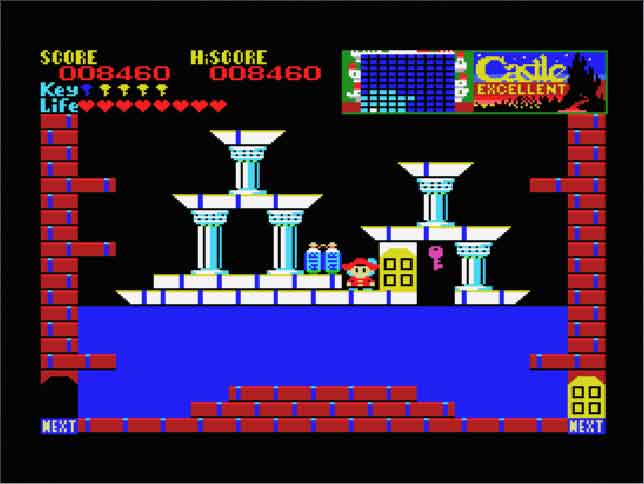
This wasn’t my first time using poke commands or cheats to play around with games. I once used them to get the cherry in Castle Excellent.
I hope you found this simple Penguin Adventure trick interesting, and I will see you in another Tech Fairy article. Check out the mobile apps I developed, which I hope you find useful & interesting.