


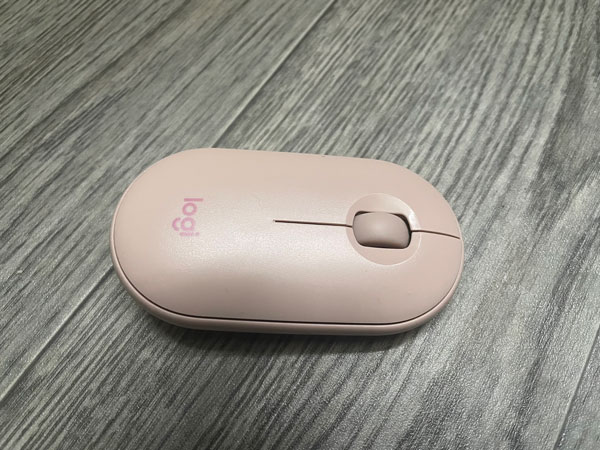
Logitech Pebble Mouse M350s Review Summary
I bought the Logitech Pebble Mouse M350s mouse because I liked how quiet it felt. I actually bought two of it at different price points. I have had it for some time, which I believe makes me capable of writing a good review on it.
In short, it’s a good mouse, looks good, has silent buttons. Has wireless & connects using both USB dongle & Bluetooth. It’s a bit larger than the typical small mouse. As long as the kinda flat design wouldn’t bother you, then I can totally recommend it.
Check out the Logitech Peddle mouse price & availability in Amazon:-
#CommissionsEarned

Quickly go to:-
Pros Of Logitech Pebble Mouse M350s
- The mouse buttons are so silent.
- Has both connectivity modes.
- Nice design.
Cons Of Logitech Pebble Mouse M350s
- May not be comfortable to hold, specially if you’re the kind to rest your hand on the mouse.
An Elegant Small Mouse
The first impression I had when I tried Logitech Pebble Mouse M350s is how elegant if looked like. The second was how silent it was. It makes relatively low noise when you click the mouse buttons. There’s no DPI switch to adjust the cursor speed, but it’s accurate enough to be used comfortably on any modern computer. I didn’t have any issue in that regard.
Logitech Pebble Mouse M350s requires one AA battery to work, which you can accessed by pulling the magnetic cover at the top. This is I liked about this mouse.
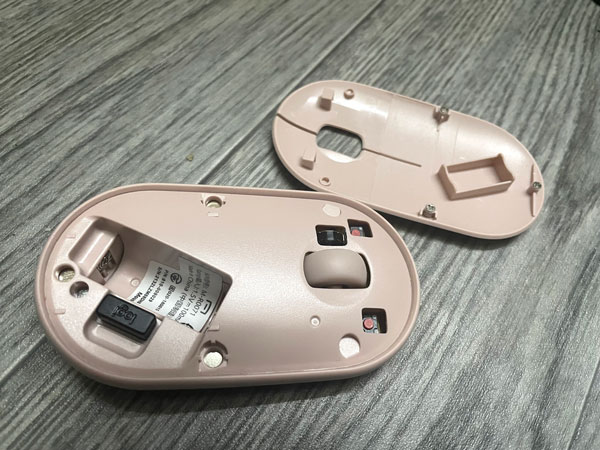
One thing to keep in mind that the peddle mouse may not be comfortable to hold, specially if you’re the kind to rest your hand on the mouse. It has a bit larger footprint compared to most smaller mice.
Logitech Pebble Mouse M350s is available in multiple colors. I have the pink one, but there are other colors, including white & black versions of it.
Dual Connectivity Modes
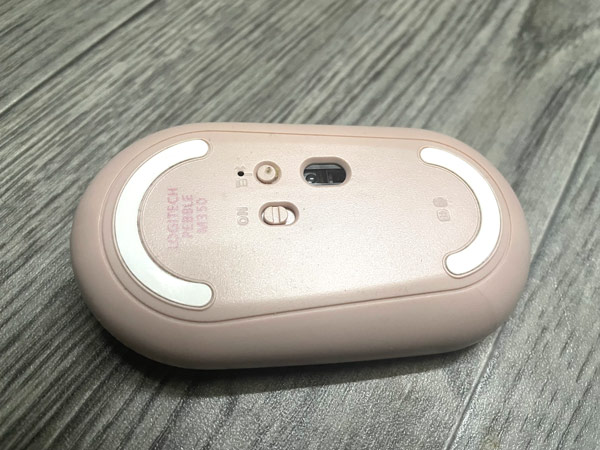
Logitech Pebble Mouse M350s supports two connectivity modes:- 2.4Ghz dongle, as well as Bluetooth. I find the 2.4Ghz dongle very convenient in that the mouse wakes up & start responding quickly when needed, unlike Bluetooth, which often takes few seconds to wake up. Having Bluetooth makes Logitech Pebble Mouse M350s suitable to use on tablets or even phones if you’re looking for a mouse for your iPad or Android tablet.
You can switch between the two modes using the small button at the bottom of the peddle mouse.

There’s A New Version Of It, The Peddle Mouse M350s 2
While I liked the Logitech Pebble Mouse M350s, just keep in mind it’s no longer the newest version of the mouse. There’s the Peddle Mouse 2. lt basically has the same design, but it’s Bluetooth only. So no 2.4Ghz if you prefer it like me. In return, you get the ability to connect up to 3 devices & switch between them. So depending on what you want, you may want to get the original Peddle mouse or its successor.
You can check put the peddle mouse 2 from the following Amazon links:-
#CommissionsEarned
And Finally
Aside from the flat design, which is not for everyone. I think Logitech Pebble Mouse M350s is a solid & elegant mouse if you want something small but sizable. The silent mouse buttons is a big plus too.
I hope you liked my Logitech Pebble Mouse M350s review, and see you in another review. Check out the apps I developed, which I hope you find interesting.
Check out the Logitech Peddle mouse price & availability in Amazon:-
#CommissionsEarned