


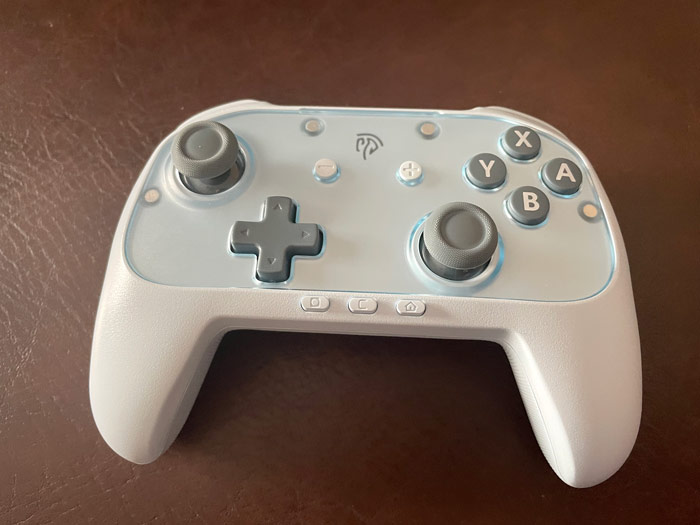
EasySMX S10 Lite:- The Economic Version Of The S10 Is Also Great
I received EasySMX S10 Lite from EasySMX to review & give my opinion on. It’s the economical version of the S10. It has most of the main features. The joysticks are Hall Effect instead of TMR, but they are still quite good. They are responsive & have a low dead zone while not being too sensitive. Depending on your preferences, you may or may not like the soft D-pad, since it’s not clicky, but I quite liked it.
I tested EasySMX S10 Lite on PC, Switch 2, and the Switch 1 to some extent. It worked well in all the games I tested. It was only with Puyo Puyo Tetris where I felt that I wanted a different D-pad. It still worked quite well, but clicky D-pads are better for these games, in my opinion. The other features, like turbo & the back buttons worked quite well too. They are features I always look for in third-party controllers.
I compared EasySMX S10 Lite with the original S10 in a dedicated section. So in case you want to pick between the two, that part of the review can hopefully help you with that.
Overall, EasySMX S10 Lite provides great features at a low price. Even with the missing features the original EasySMX S10 has. It’s an excellent controller to use for everyday gaming.
Update (23 March 2026):- If you’re facing an issue where your EasySMX S10 Lite disconnects on its own on the Switch 2, they released a firmware update to solve that. Just follow the instructions in this link to update it.
(Use the code TechFairyS10lite to get 15% off)
Buy EasySMX S10 Lite From EasySMX
Quickly go to:-
Overview Of EasySMX S10 Lite
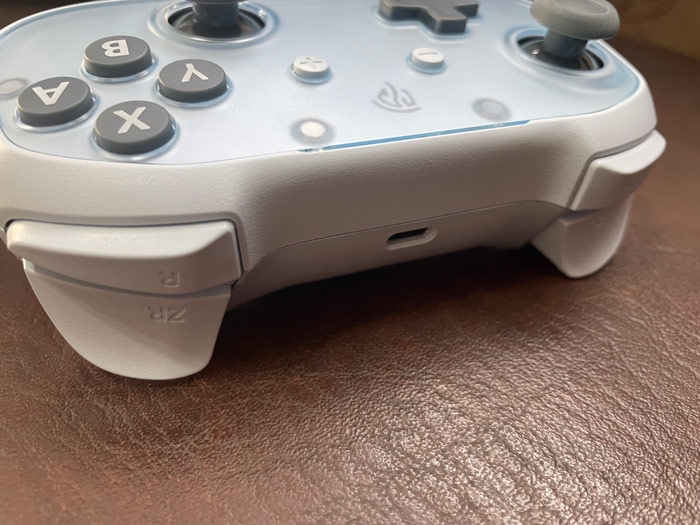
Compared to the original S10, the EasySMX S10 Lite packaging was a bit barebones. The small box contains the controller itself, charging cable, as well as the user manual & a quick guide on how to pair the controller. The controller itself is very nice looking, with relatively large & clicky buttons. The + / – buttons (or start / select on PC) are where you expect them to be, but the screenshot, home & chat buttons are all located at the bottom, so they don’t get in the way while playing but are still very accessible. All the 8 face & shoulder buttons give nice tactile feedback, so you know you pressed the button for sure, but the sound they make is subtle, so it doesn’t get annoying or anything.
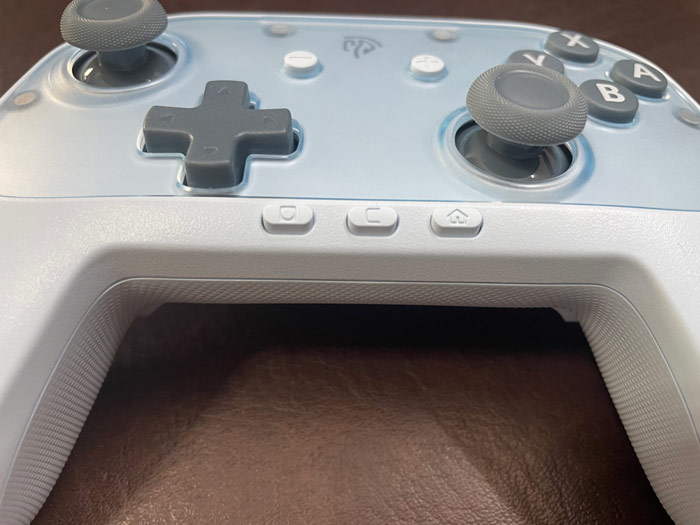
One of the things I noticed about EasySMX S10 Lite is how the joysticks hit some rubber ring or something when you push them to the edge, so no strong sound comes out when the joysticks hit the edge. This gives the joysticks a really nice feeling.
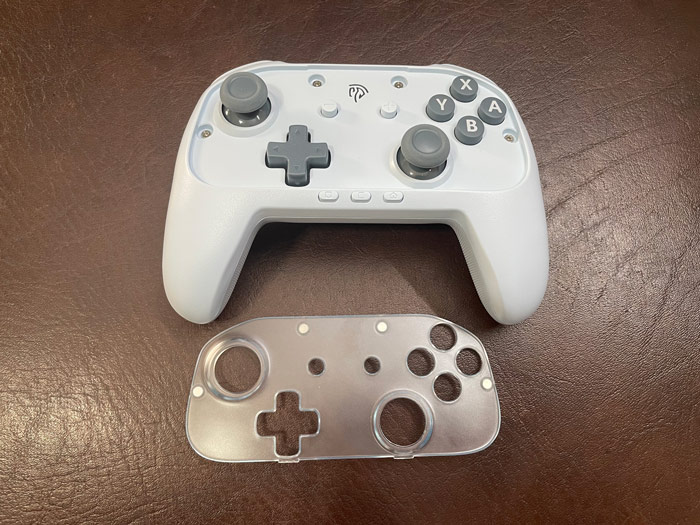
EasySMX S10 Lite comes in multiple colors:- blue, black & pink. I have the blue version:-
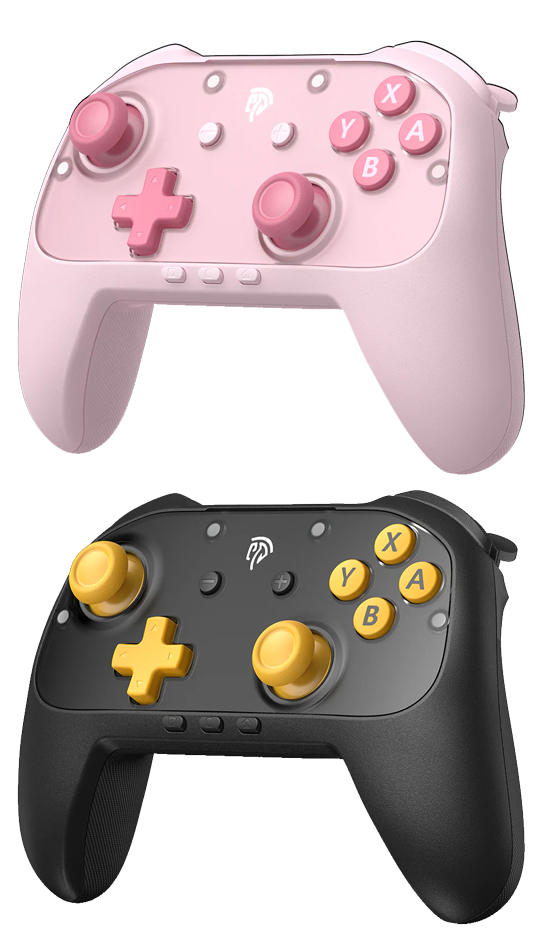
The magnetic faceplates at the top can be removed & even replaced. Although I looked for a replacement for it on EasySMX website & other online stores, I couldn’t find any. Maybe this is something they plan on releasing in the future.
Pairing EasySMX S10 Lite To PC & Switch 1 + 2
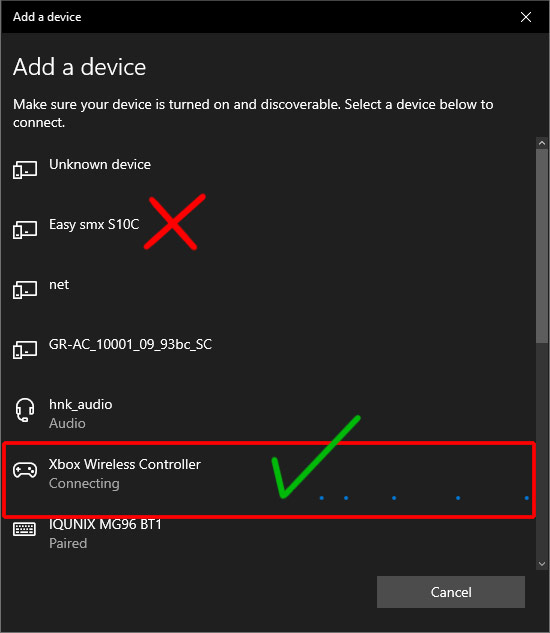
Pairing EasySMX S10 Lite to different devices was so easy. To pair it to PC, simply press & hold the home button for 5 seconds, then select Xbox Wireless Controller from the Bluetooth devices list. Never select the EasySMX C10 or anything of that sort. It will likely not work.
Pairing it to Switch 2 was the same; just make sure you’re on the Change Grip / Order screen when you press & hold the home button. Then press & hold the RB + LB buttons at the same time.
For the Switch 1, things were different. Instead of pressing & holding the home button alone, press & hold it alongside the Y button while on the Change Grip / Order screen. It wasn’t intuitive, but it was mentioned in the quick start guide that came with the controller.
Playing Games On EasySMX S10 Lite
During this review period, EasySMX S10 Lite was my main gaming controller. I had played all the games I was originally playing by the time I received it. I also went on a gaming testing spree. I tried to vary the games I tried to test all the controller features to the best of my ability. Mainly the joysticks & the d-pad, since I will naturally test everything else on the controller over time anyway. I will continue to use it after the review as one of my main controllers and will update the review with anything that may come up in the future. So far, EasySMX S10 Lite has provided a consistent experience across all the games I played on PC, Switch 1 & 2.
EasySMX S10 Lite comes with Hall Effect joysticks. I could go on & on about the technical details & the differences between it & other technologies like TMR, like how TMR technology consumes less power & is more accurate. But the final decision really boils down to preference & the actual experience the controller provides. Some people prefer one over the other, and it’s best if you try both to see which one you like better. For that reason, I will focus more on my experience with EasySMX S10 Lite compared to the other controllers I have, which range from regular joystick to Hall Effect & TMR.
Either way, whether you have a Hall Effect or TMR, both are better than mechanical joysticks for sure. I try to avoid the regular joysticks in the more expensive controllers, given my past experiences with them.
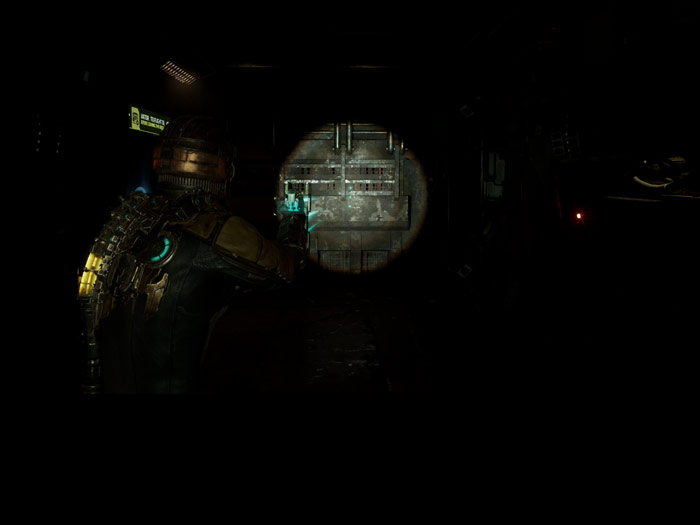
To test the joysticks, I had to play at least one game that requires aiming; I opted for Dead Space Remake. In my experience at least, Hall Effect joysticks tend to be a bit sensitive, which makes me want to calibrate them from the controller itself or from the game settings to use them normally. That wasn’t the case with EasySMX S10 Lite. The joysticks were sensitive enough that I could aim with precision but not so sensitive that they threw me off. It felt equivalent to the Xbox Series X controller if you used one.
I played Star Fox Recomp on PC, where the turbo feature proved to be useful. I also played ReAnimal, which just came out. It’s from the same guys who made Little Nightmare I & II, so I was excited to try it out. I am still at the beginning, but my first impression of it was good. I mapped one of the back buttons to run instead of RT/R2, and the other to sneak, since I find it more comfortable to play with back buttons.
The d-pad in EasySMX S10 Lite is really soft to the touch; it’s not tactile at all, but not mushy either. It feels so great that I was itching to play some platformer games with it. The back buttons are somewhat clicky though. The platformer I tried on PC was CupHead. I personally had more fun with the game thanks to the D-pad. I think some people would rather have a more tactile D-pad, but I personally liked the D-pad quite a lot in this one. You can’t change the D-Pad in this controller, so there’s no faceted D-Pad as an option.
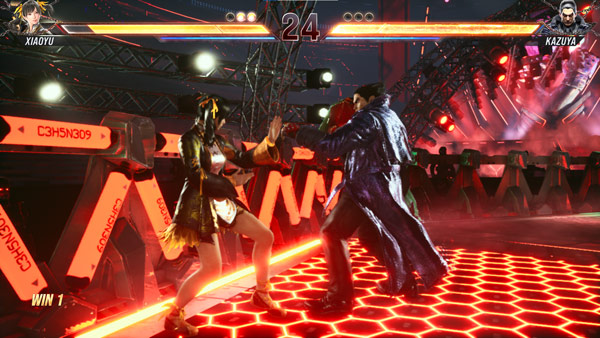
I also played Tekken 8 to try macros & the general feeling of the controller. Overall, my experience playing games on PC with EasySMX S10 Lite has been quite positive.
EasySMX S10 Lite works perfectly well as a PC controller, but since it was made with the Switch 2 in mind, the A, B, X & Y buttons follow the Nintendo layout, where A & B, X & Y are swapped compared to Xbox controllers.
Since EasySMX S10 Lite was made to work on the Switch 2, trying it on it is a must. As mentioned above, pairing it to the Switch 2 wasn’t an issue at all. I tested the waking up feature the first thing right after pairing, and it worked right away. There was no need for me to remove & reattach the Joy-Cons right after pairing like I had to do with the original S10. Every time I wanted to play, I simply pressed the home button & the Switch 2 woke up, just like that.
I played Mario Kart World, since it’s one of the most popular games on the console. I played a few races to see how it worked. This game doesn’t strictly require precise joysticks to be enjoyed. But because of the low dead zone of the joysticks, steering was quite precise. I played Smash Bros Ultimate, and I had no issues with it.
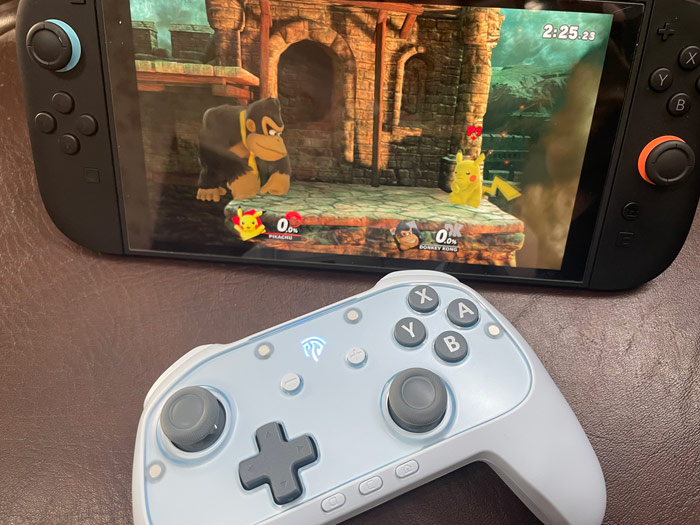
My test game for the D-Pad on Switch 2 was Puyo Puyo Tetris. It worked great. While I quite liked the softness of the D-Pad in all the other games I played, I would rather play games like this with a tactile D-Pad, where I get feedback every time I press one of the D-Pad buttons. This is one of the games I played on the PS-Vita specifically for the excellent D-pad it had. It’s also one of the games where the Joy-Cons of the original Switch 1 shined. I am not saying the D-pad was bad here, quite the opposite, but the tactile feeling can be nice on such games. This didn’t affect my performance of the game, especially as I kept playing it.
Since I used other Switch controllers, I was used to the home button being in the middle of the controller. But since I also used the original EasySMX S10, this wasn’t my first experience having the home button there. You get used to it rather quickly. I appreciated having it close to my right hand.
I also tested EasySMX S10 Lite on the Switch 1. I went with a platformer since I wanted to test the D-pad some more. I played a bunch of stages in Donkey Kong Country Returns. I say the D-pad made the game more fun. I also did play it with the joystick, and the experience was quite smooth.
Overall, EasySMX S10 Lite provided a consistent experience with different games across different devices. And despite the whole Hall Effect VS TMR debate, I don’t see any issue with the S10 Lite that prevents it from being used on all sorts of games.

Back Buttons & Rumble
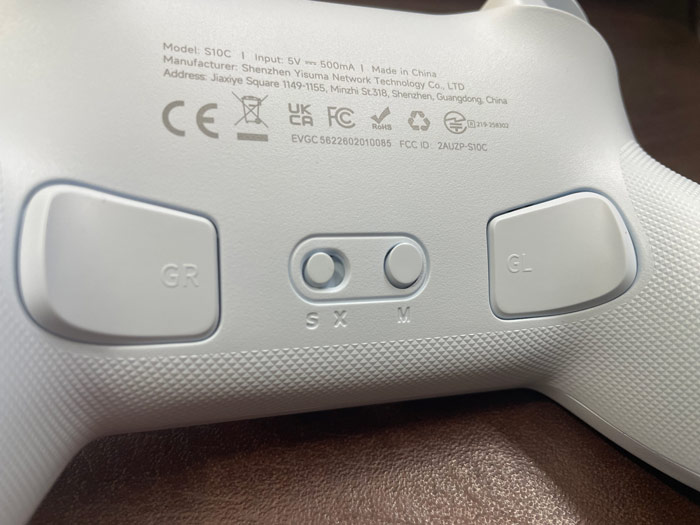
EasySMX S10 Lite has two back buttons at the back of it, called GL / GR . These buttons can be mapped to any other buttons on the controller. I tend to use them to replace the RS & LS buttons in the games that require them for running or docking. I also use them to run instead of reaching out for the triggers or shoulder buttons. They can make you play more effectively or, like in my case, more comfortably.
The two buttons can be programmed with a series of button presses, or macros. I tested that by programming a certain combo in Tekken 8 back when I played it.
The GL / GR can’t be programmed for each of the X or S modes separately. So if you remapped GR to A in the S mode, then you switched to X mode to play on PC, it will stay mapped to A. I wish the controller had a different setting for each mode. But since I already remap the button with each game I play, and since it barely takes any time, I can live with that.
EasySMX S10 Lite supports standard rumble and not HD rumble. You adjust the intensity of rumble by pressing the M button at the back of the controller along with up / down on the joystick. HD rumble was supported in the original S10; it can be such a subtle feature, but not that many games supported it.
Turbo
Turbo is one of the features that makes me prefer third-party controllers over first-party controllers. There are two types of turbo:-
-
- Manual Turbo:- where you press & hold the button for it to keep firing:- You press & hold the A button, and it will keep on firing:- A A A A A A. Release the button for the firing to stop.
- Automatic Turbo:- where you press the button once, and it will keep on firing. e.g. you press the A button once, and it will keep on firing:- A A A A A A. To stop it, you press the A button again.
So far, every single controller that supports turbo supported the manual turbo. EasySMX S10 Lite supports both types. You activate turbo by pressing the M button at the back of the controller along with the button you want to activate turbo on. This will activate the turbo in manual mode. Do it again, and it will activate it in automatic mode; do it a 3rd time & it will deactivate turbo for the button.
While turbo is being active, the EasySMX logo on the face of the controller keeps blinking. This can be useful in case you activated it by mistake.
All the following buttons support turbo:- A, B, X, Y, RT, RB, LB & LT. You can also activate turbo on automatic mode on the back buttons by pressing M along with the button. Press M + the button again to deactivate it.
Turbo can be activated on each button separately. e.g. You can activate turbo on automatic mode on the A button while having it on manual mode on B while also having it off on Y, and so on.
Turbo can be quite useful in many games. I used it in Contra to farm money while being asleep or doing something else. I also used it to throw Pikmins fast in the earlier Pikmin games that didn’t support that natively.
Two Connectivity Modes
EasySMX S10 Lite has two connectivity modes, not counting the wired mode:-
-
- X mode:- Intended for PC & mobile. The controller in this mode is recognized as Xbox controller with XInput.
- S mode:- Intended for the Switch 1 & 2, so this is the mode I used on them.
EasySMX S10 Lite can be paired on both PC & the Switch 2 at the same time, where PC is paired on the X mode and the Switch 2 on the S mode, all without having to pair them again. Just switch the toggle at the back every time you want to change the device.
Comparison Between EasySMX S10 Lite & The Original S10
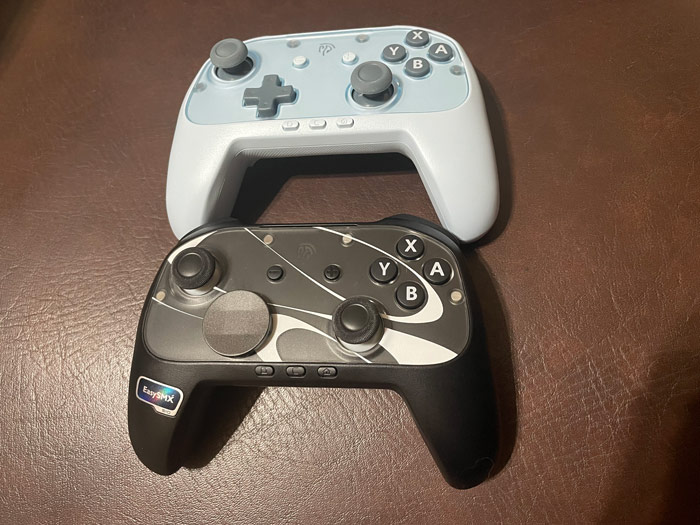
In case you’re wondering whether you should get the EasySMX S10 or the EasySMX S10 Lite, here’s a quick comparison of the two:-
-
- The original S10 has TMR joysticks, while the S10 Lite has Hall Effect. Unless you strictly prefer TMR joysticks, this is not a deal breaker for the S10 Lite in my opinion.
- When it comes to motion control, the S10 Lite supports 9-axis precision, while the original S10 supports 6-axis.
- The EasySMX S10 Lite doesn’t support NFC, so you can’t use Amiibo on it.
- The D-Pad on the original S10 is clicky, while the one on the S10 Lite is soft to the touch.
- The S10 Lite has no swappable D-pad, so you can’t have a faceted D-pad like the original S10.
- Waking up the Switch 2 worked quite well on both controllers, but it worked right away on the S10 Lite. In the case of the original S10, I had to remove & reattach the Joy-Cons right after pairing for it to work. Not a deal breaker for the original S10, but I had to mention it.
- The original S10 supports HD rumble, while the S10 Lite only supports standard rumble.
You can read my review of the original EasySMX S10 here.
And Finally
Overall, I am quite happy with EasySMX S10 Lite. If you don’t care about any of the extra bells & whistles of the original S10, EasySMX S10 Lite can give you an excellent gaming experience at a good price. It has all the main features I go for in third-party controllers. Like turbo, back buttons, excellent feeling for the buttons, multiple connectivity modes & precise joysticks. It wakes up the Switch 2, so it’s convenient to use it with it.
I hope you liked my EasySMX S10 Lite review, and I will see you in another Tech Fairy article. Check out the mobile apps I developed, which I hope you find useful & interesting.
(Use the code TechFairyS10lite to get 15% off)