


I Tried Multiple Cheap Mice From Aliexpress, And Here’s What I Found Out
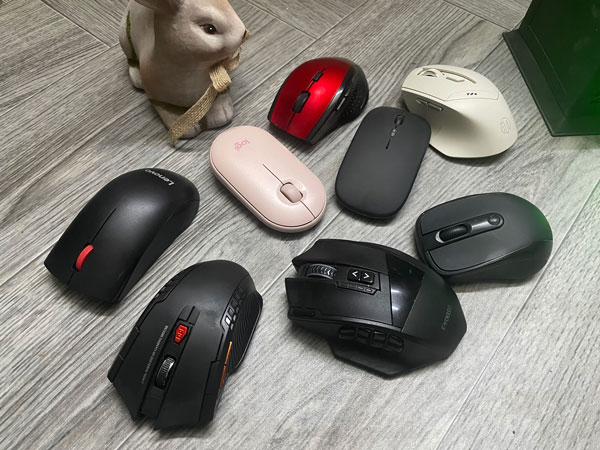
Have you wondered how the cheap mice listed in AliExpress are like? Some people may dismiss them on the basis they are worthless crap. So I did an experiment where I got multiple mice, and tried them one by one. Some of them have seen constant use for months, as well. Generally speaking, I was happy with the result. In short, you can get some good-enough mice to basic usage, or you may pay a bit more to get some fancy feature and more reliability, or end up paying even more to get some high-end features. Whatever the mouse you pick, they are all much cheaper than the equivalent brand mouse.
The prices listed below here are what I paid for them. Prices in AliExpress fluctuate, so you may pay a bit more or less than that. I found that the cheaper the mouse, the worst it performed (relatively speaking), but starting around the $8 mark, the differences started to matter less.
Under each mouse, I may share an affiliate link where you can buy the mouse or check its current prices. Buying from these links can help Tech Fairy going, and it won’t cost you anything, so please use them if you liked the mice listed here.
You may notice that some mice are listed as “Gaming” mice, which I will completely ignore.
Click this affiliate link to check out different mice from Aliexpress
Quickly go to:-
Why Did I Started This Experiment?
I used to buy brand mice for years. I own many mice from Logitech, Microsoft & other brands. I started to feel that they don’t live up to their reputation. Specially in the case of the smaller mice, whose scroll wheel breaks immediately the moment it falls once to the ground, so I kept buying the same mouse over & over, which felt like a waste of money. You buy brands to last you longer, not to keep buying them multiple times. I hope there’s not conspiracy behind this.
At least in case of cheaper mice, and the worst case scenario, I could buy 2-4 mice with the price of one of the unreliable ones that just kept on breaking. So far, none of the mice listed below broke, with one exception I mentioned explicitly.
The Cheapest Ever (Around $2)
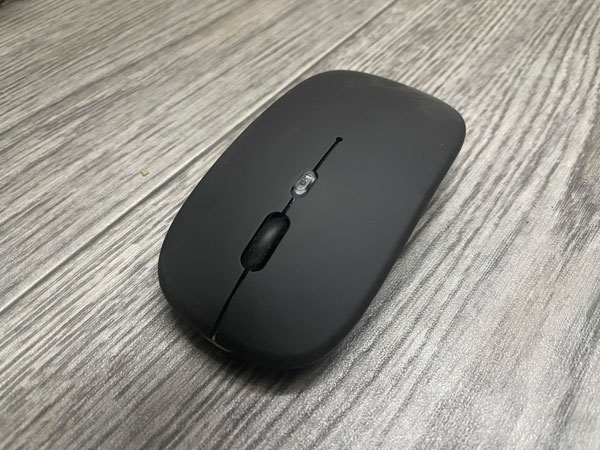
This one kept appearing in search result & in bundle deals many times during my shopping. Sometimes even when I am not looking for a mouse. It was the cheapest ever, and its features were really awesome, so I thought about trying it out.
From the price & features list, this mouse felt like a steal. It’s wireless, supports USB dongle as well as Bluetooth, has a built-in battery. It also features really beautiful RGB lighting. The mouse surface is really smooth & a joy to use. It worked really well at first, but that didn’t last for long. After some time, the scroll wheel started acting up, and it often goes erratic, which made it hard to use. From time to time, the mouse pointer jumps suddenly, which made it annoying to use. I could still use it for light stuff where I don’t need a scroll wheel, but since this mouse is totally not durable, I will mark it as a fail. I don’t recommend you buy this mouse at all.
The mouse has DPI switch, which toggles the polling rate from pre-defined polling rates. If you found the cursor going too fast or to slow, just keep pressing the cursor until the cursor speed is the way you prefer it to be.
Sometimes, this mouse is listed at around $3 or a bit more. I guess I was a bit lucky for getting one for so cheap.
The Cheap Small Mice
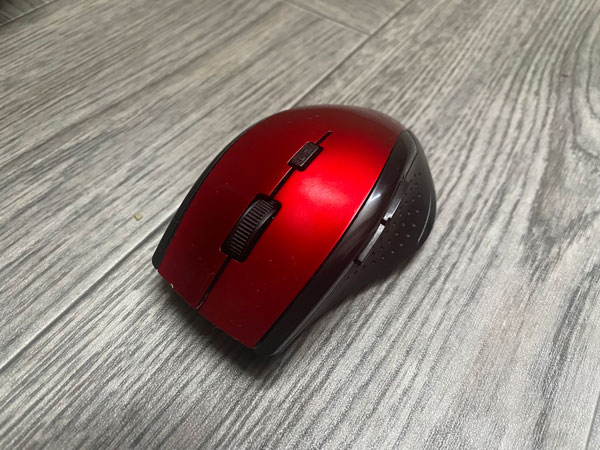
I tried two mice in this category. To start with the red one. Not only is has the usual two buttons & the scroll wheel, which doubles as a middle mouse button. But it also had a back/forward button, which can be very useful for browsing. I also like how it has the looks a sport car. The build quality is very ok, but I personally didn’t care much. I have been using that one for many months, and it is yet to fail me. The accuracy of the mouse cursor is superb. It is reliable enough use as a secondary mouse, but it has three problems:-
-
- The scroll wheel works reliably enough, but if you were scrolling in one direction, then you changed direction, it will ignore the first tick in the opposite direction once, before switching.
- The back/forward buttons are reliable, but sometimes causes a short freeze. It doesn’t happen often, but I had to list that.
- The middle button works very well, but is a bit hard to press.
The red mouse has a DPI switch on the top, which helps you adjust the cursor speed. It only supports 2.4Ghz dongle, which makes it suitable mostly to PCs or Macs. Although you can use them with the solution I suggested in my How to use any keyboard or mouse wirelessly with your iOS or Android device? article if you like to. It requires two AAA batteries to work. Sadly, it has one thing I didn’t like about many of the mice listed here, which is you have to click to wake it up from sleep, and that click actually registers in your computer or tablet.

The second mouse cost me almost the same as the red one, and it turned out much better than it. The scroll wheel works almost flawlessly. The build quality is really good for the price. As long as you don’t mind the small size, it can be used as a daily driver. It has a DPI button, but it lacks the back/forward buttons that distinguished the red mouse. Despite that, I can totally recommend it as a general-purpose mouse. It’s the first winner of this experiment. Sadly, it also requires you to click to wake it up though. Just like the red mouse, this mouse needs two AAA batteries.
Buy From AlieExpress
I quite liked the mice in this category. I can get a load of them with the price of one brand mouse. They are reliable enough. I can get the red mouse for the computers that I use for browsing & simple tasks, giving it has side buttons, while I can get the second mouse if I wanted something more reliable for intense tasks.

The Cheap 2.4G Large Wireless Mouse

I got this mouse fairly recently. You can usually get it for around $8-$9, but it was cheaper since I got it from bundle deal. It has a nice build quality. Though the back/forward buttons may have a cheap plastic feel to them. Despite that, it works very well. The scroll wheel is a bit like the red mouse I talked about earlier, but it feels more useful. It has the advantage of being a larger mouse for those who don’t want a small one.
The mouse requires 2 AAA batteries. The listing may mention it has a built-in battery, which is a lie. It proceeds to mention the two batteries required if you scrolled a bit below.
It also has a DPI button, which is a common theme in most of the mice covered here.
While the red mouse was totally usable, this is the cheapest mouse with a back/forward button I recommend in this listing. Specially if you got it for a good price
Buy From Aliexpress
The Lenovo M120 Pro Mouse
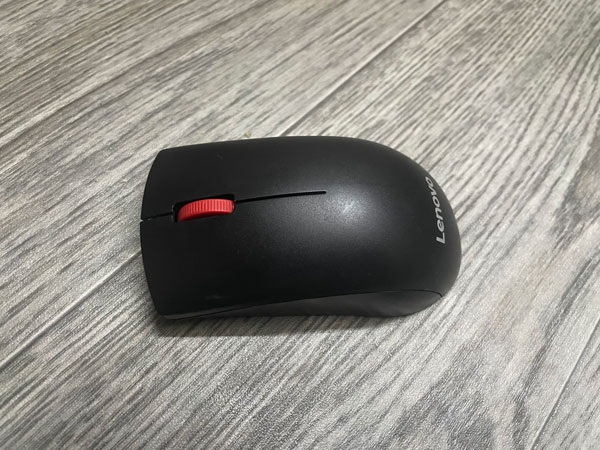
This is one of few mice with brand name in this list. It costs slightly more than the ones I covered so far, but it provides a reliable & basic functionality. It works very well on all aspects, and it is wireless. And more importantly, the scroll wheel is totally reliable on this one. It only supports 2.4Ghz dongle, and not Bluetooth. It needs 1 AA battery to work. The only flaw it has is the click to wakeup thing I kept mentioning.
This is the one mouse I can reliably recommend to those who are afraid to try the cheaper mice I listed above. It is another mouse that has the advantage of being large too. It doesn’t have any bells & whistles though.
The INPHIC DR01 Mouse With More Features
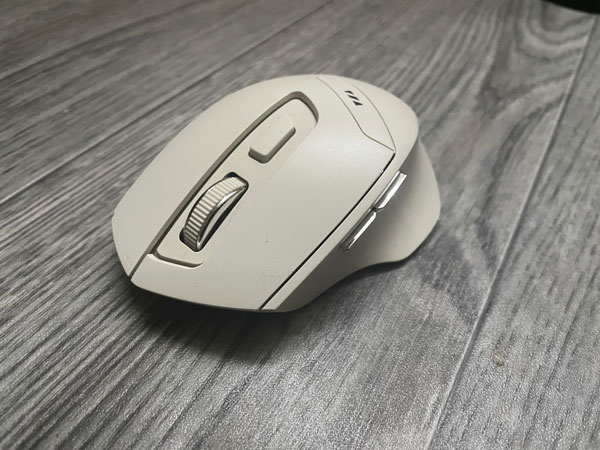
This is the price point where we start to see some fancier mice. Like this one that looks really elegant, it looks like a car in a showroom. Supports 2.4Ghz dongle, as well as Bluetooth 4.0 & 5.0. You switch between the different modes by pressing the small button at the bottom of it. It has a dpi toggle button, back/forward buttons that are easy to press, easy-to-press middle button, soft surface that feels comfortable in hand, reliable scroll wheel. It’s a good all around mouse, but again, you need to click to wake it up from sleep.
Buy From Aliexpress
The Final Boss, The E-YOOSO X-33 Mouse With Many Buttons
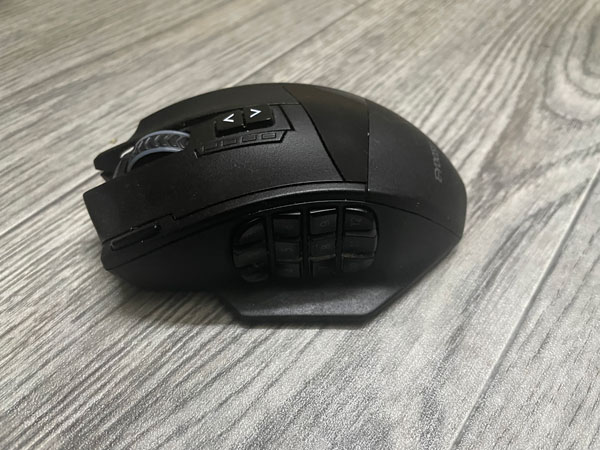
The last mouse in this listing is the E-YOOSO X-33 mouse. Which has 12 programmable buttons on the side. In addition to two DPI buttons. I found similar mice from a brand that cost way more than this one, so this one is a bargain. You can program all the buttons, adjust the RGB lighting & DPI settings using E-YOOSO’s software. It has a rechargeable battery, as well. Although I tend to keep the RGB lights off, as the battery last much less with they are on.
While this mouse may be a bit too much if you want some mouse for general use, I can see how power users & creators can put the many shortcut buttons to good use. More importantly, it doesn’t suffer from the click to wakeup thingie. I have been it my daily driver on my main computer for well over a year now.
The E-YOOSO X-33 mouse is a wireless, and needs a 2.4Ghz dongle to connect to PC. There’s a wired version that’s cheaper if you don’t care about wireless.
Buy From Aliexpress
Logitech Peddle Mouse M350s
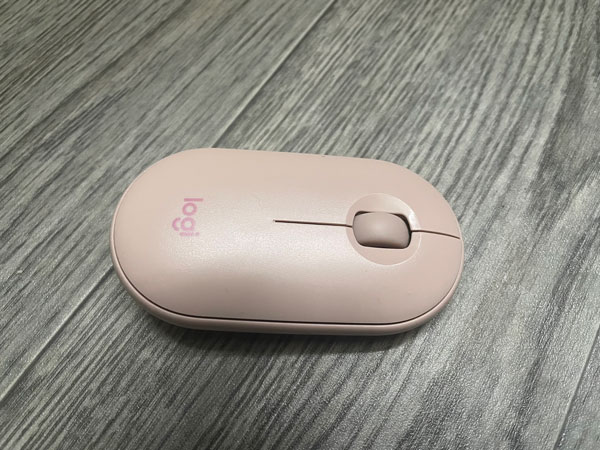
The Logitech Peddle supports all connectivity modes, from 2.4Ghz dongle to Bluetooth. It requires one AA battery to work, which you can accessed by pulling the magnetic cover at the top, which is something I liked about it. While I found the peddle mouse reliable, it’s not exactly very comfortable in hand, giving its shape. So if you are the kind to rest his hand on the mouse, you may not like it. This mouse clicking sound is so silent that I would recommend it for those who dislike clicking noise.
There’s one thing I need to get out of the way before we continue. I have bought the peddle mouse from a local store before, and it cost much less than what is in AliExpress. So I don’t know if this second one is original or a very good imitation. I totally never felt any difference between the two.
And Finally
Trying different computer mice from AliExpress was a very interesting experience. Seeing how I got myself a bunch of good mice for a very cheap. I literally got 9 mice for less than the price of one brand mouse. About 7 of them worked generally well.
I hope you liked this experiment, and see you again with another Tech Fairy article. Check out my mobile apps if you like, which I hope you find interesting.